Virtual Staging · Bedroom

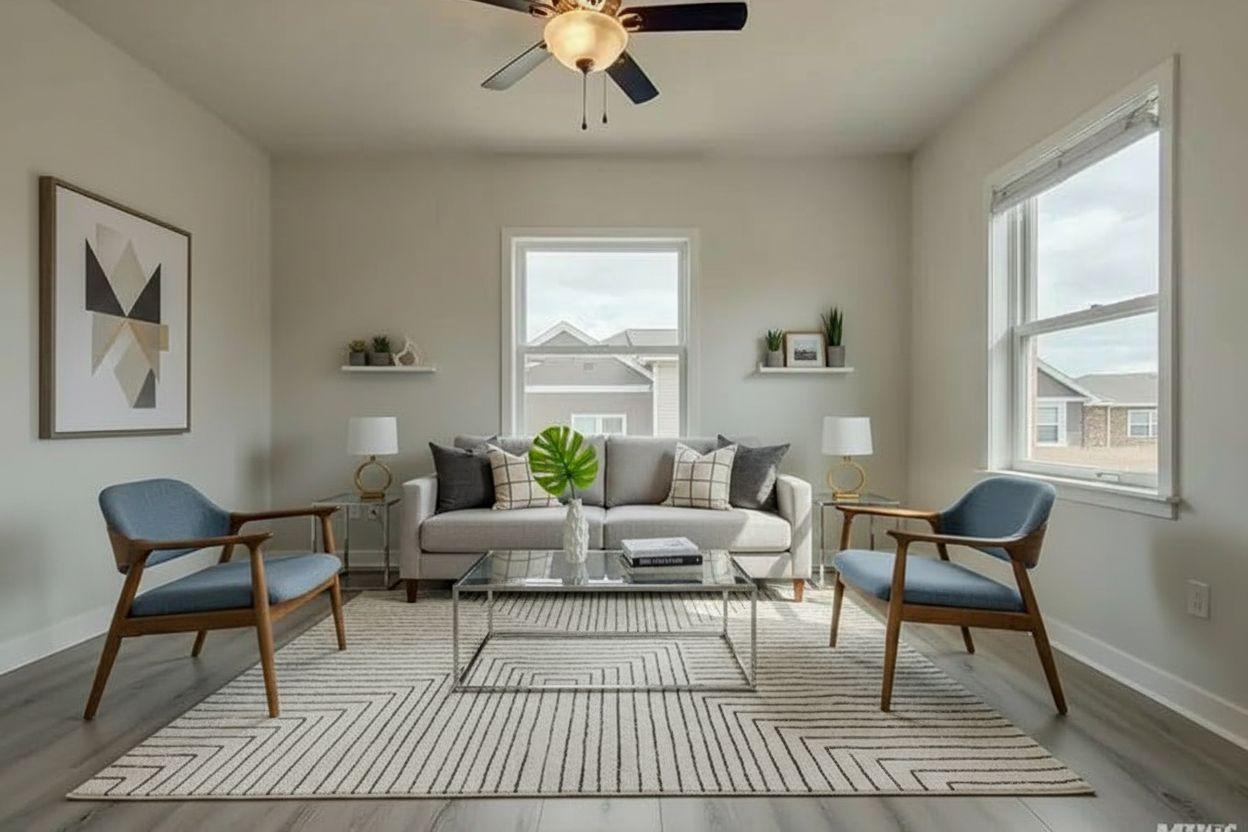
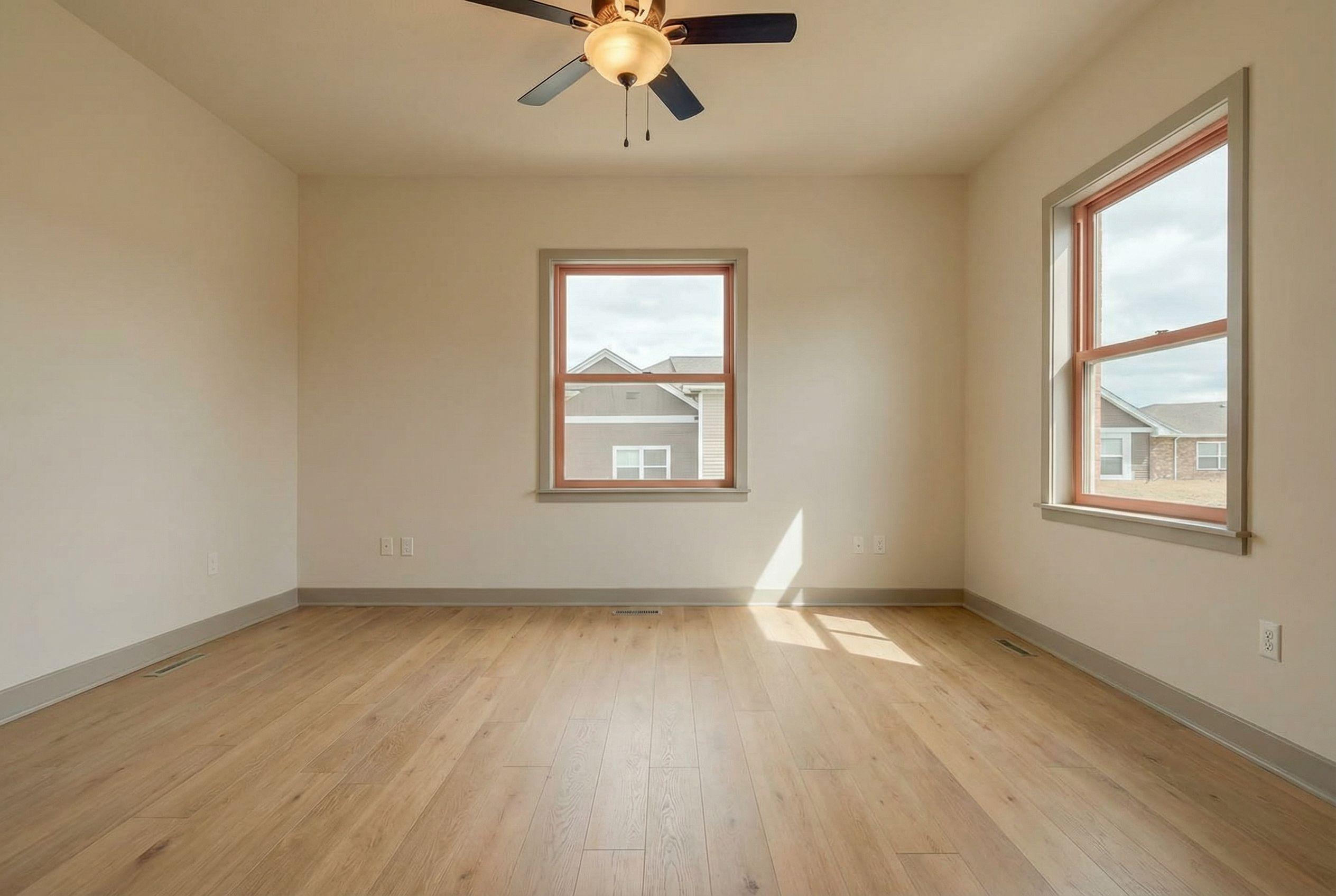
Virtually staged bedroom examples.

Empty rooms photograph cold and sell slow. Browse real AI virtual staging before-and-afters: vacant listings furnished in seconds for a fraction of the $2,000-$8,000 a traditional staging company charges.

  • Stage a vacant listing photo in about 15 seconds, no furniture rental, no movers
  • A fraction of traditional staging cost, per photo instead of per month
  • The room’s bones stay untouched: windows, floors, and layout are preserved
  • Restage the same room in multiple styles to match your buyer demographic
Before & after

Virtual Staging: bedroom examples

Virtual Staging

Try it on your own bedroom.

Empty rooms photograph cold and sell slow. Browse real AI virtual staging before-and-afters: vacant listings furnished in seconds for a fraction of the $2,000-$8,000 a traditional staging company charges.

Stage a listing photo

Renders in ~15 seconds · from $9

Virtual Staging for the bedroom

For listing agents, sellers, and landlords, the bedroom is high-stakes: buyers immediately test whether their bed would fit. The AI furnishes an empty bedroom with realistic, correctly scaled furniture, no software to learn, and the architecture: windows, flooring, wall lines, and proportions stay exactly as photographed.

The payoff is concrete: buyers see a furnished, livable bedroom with believable light and shadow, at a fraction of physical staging cost. Compare that with the usual route: renting furniture for months while the listing sits, or pasting in flat clip-art furniture that fools no one, and the fifteen-second render earns its keep on the first photo. Pay attention to the bed wall and the calm the room does (or does not) project; it is what viewers of a bedroom check first, and it is where these examples are strongest.
How to get the best result

  • Lead with the bed wall

    In a bedroom, buyers immediately test whether their bed would fit. Make the bed wall and the calm the room does (or does not) project the first thing you evaluate in every render, and regenerate until it reads right before polishing anything else.

  • Render variations before committing

    Each render takes about fifteen seconds, so audition several directions instead of accepting the first. The expensive path is the manual one: renting furniture for months while the listing sits, or pasting in flat clip-art furniture that fools no one, not an extra generation.

  • Keep the result honest

    The AI preserves the architecture: windows, flooring, wall lines, and proportions stay exactly as photographed. Keep it that way: for listing use, disclose edited photos and never let an edit hide a defect or alter a permanent feature of the bedroom.

Frequently asked

  • How long does it take for a bedroom?

    About fifteen seconds per render. Because iteration is that cheap, the working pattern for a bedroom is to generate several directions, compare how the bed wall and the calm the room does (or does not) project reads in each, and keep the strongest.

  • Will the result look realistic for a bedroom?

    Realism comes from consistency: perspective, scale, shadows, and light in the output match the source. In a bedroom specifically, check the bed wall and the calm the room does (or does not) project. It is where realism succeeds or fails, and the examples on this page are chosen to show it.

  • Can I use the bedroom result in a real estate listing?

    Yes, with the standard rules: label digitally edited or virtually staged photos per your MLS's policy, and never use an edit to conceal defects or change permanent features. Adding or removing furnishings in a bedroom photo is broadly accepted with disclosure.

  • What does it cost compared to doing it the traditional way?

    A few credits per render, versus the traditional route for a bedroom: renting furniture for months while the listing sits, or pasting in flat clip-art furniture that fools no one. Most users cover an entire property for less than one professionally edited photo used to cost.